Open an XM account and receive exclusive benefits simply by using your affiliate code.

BSIMX

BeSight Loyalty Experience
day

How to easily open an additional XM account to receive rebates.

เปิดบัญชีเพิ่ม_3

Traders can open a trading account to receive rebates or cashback from BeSight. This applies to both novice traders who have never opened an account before and experienced traders. Opening an additional XM account is also an option to receive these special benefits. The steps for opening an additional account are as follows:

What is opening an additional XM trading account?

Opening an additional XM trading account means creating a new account on top of your existing XM account to separate your trading portfolio, for example, to use different investment strategies, or to choose a new account type and platform (MT4/MT5) that suits your needs.Join the rebate program for trading cashback. Without needing to sign up for a new account.

1. Click the link to start creating an additional account.

– Click this link 👉 Open an additional XM account.

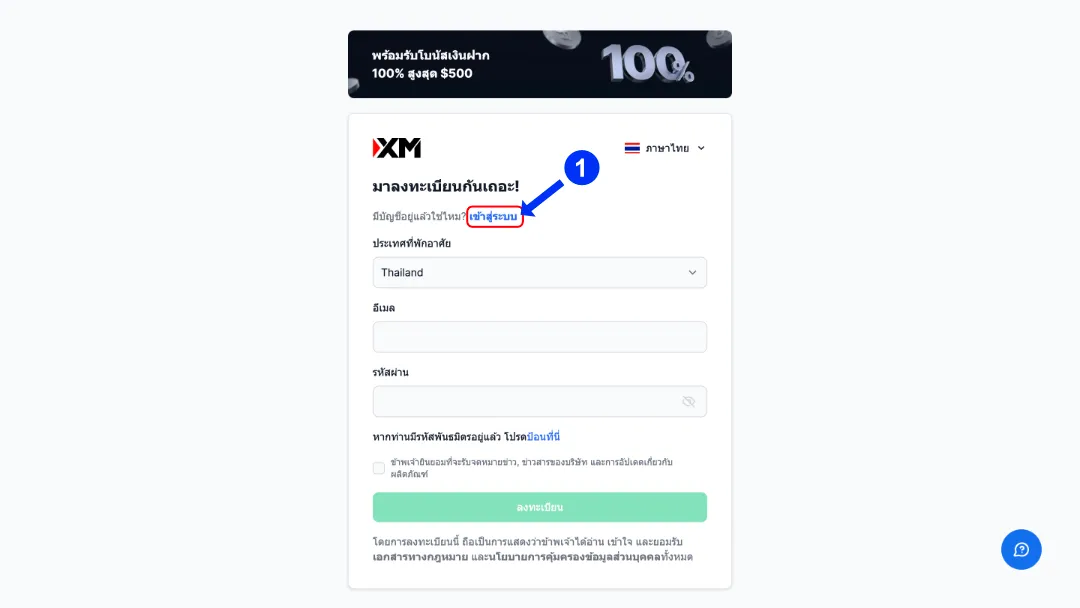
– The system will take you to the registration page. If you already have an account, click “Sign in”"”

Additional XM Accounts1_11zon

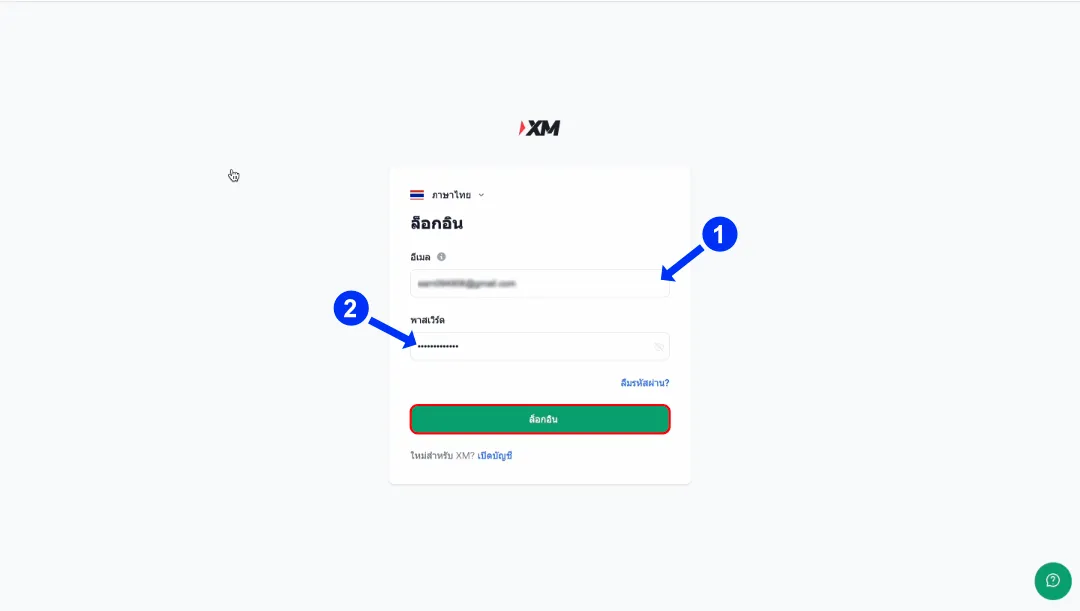
2. Log in to the system.

– Enter the email address and password of your XM account. 

– Then click "“Log in”"”

Additional XM Accounts2_10_11zon

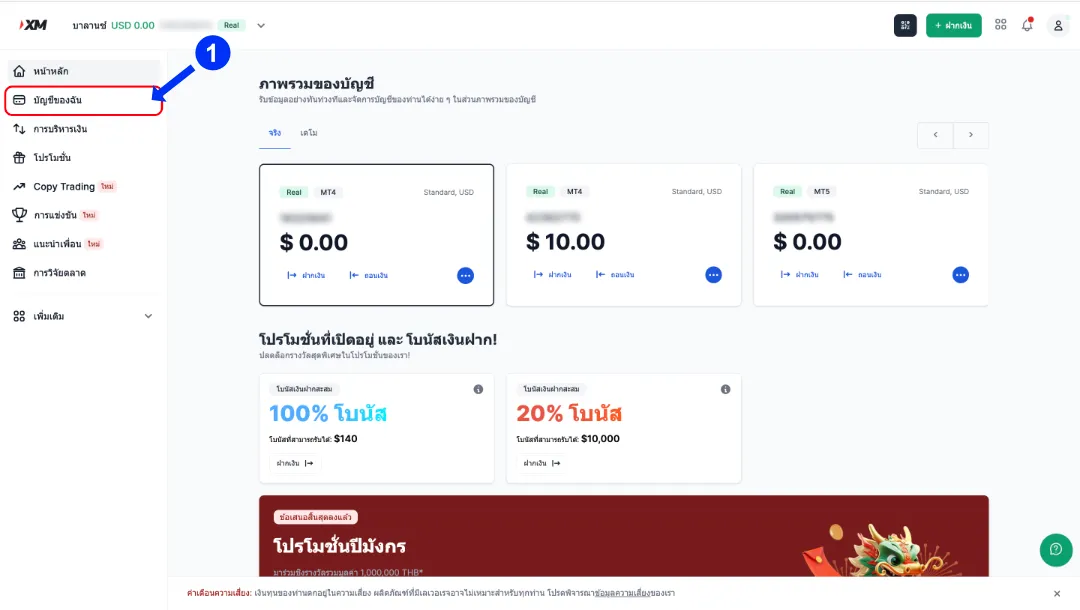
3. Go to My Account menu.

– Once on the homepage, click on the menu “My account”"”

Additional XM Accounts3_11_11zon

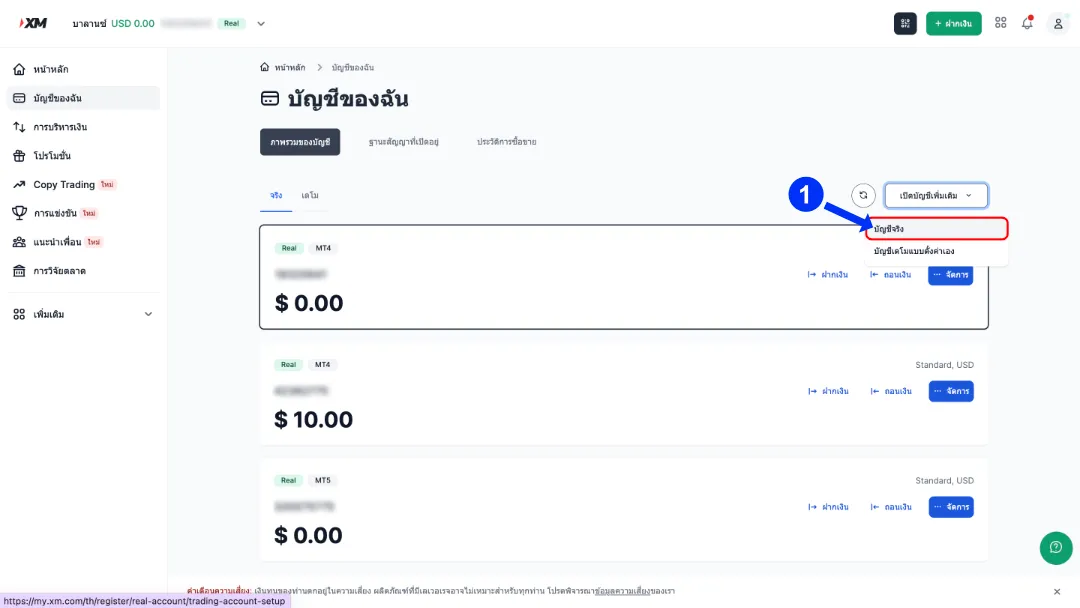
4. Open an additional account.

– On the My Account page, click on “Open an additional account.”"” 

– Select the account type as Real account

Additional XM Accounts4_12_11zon

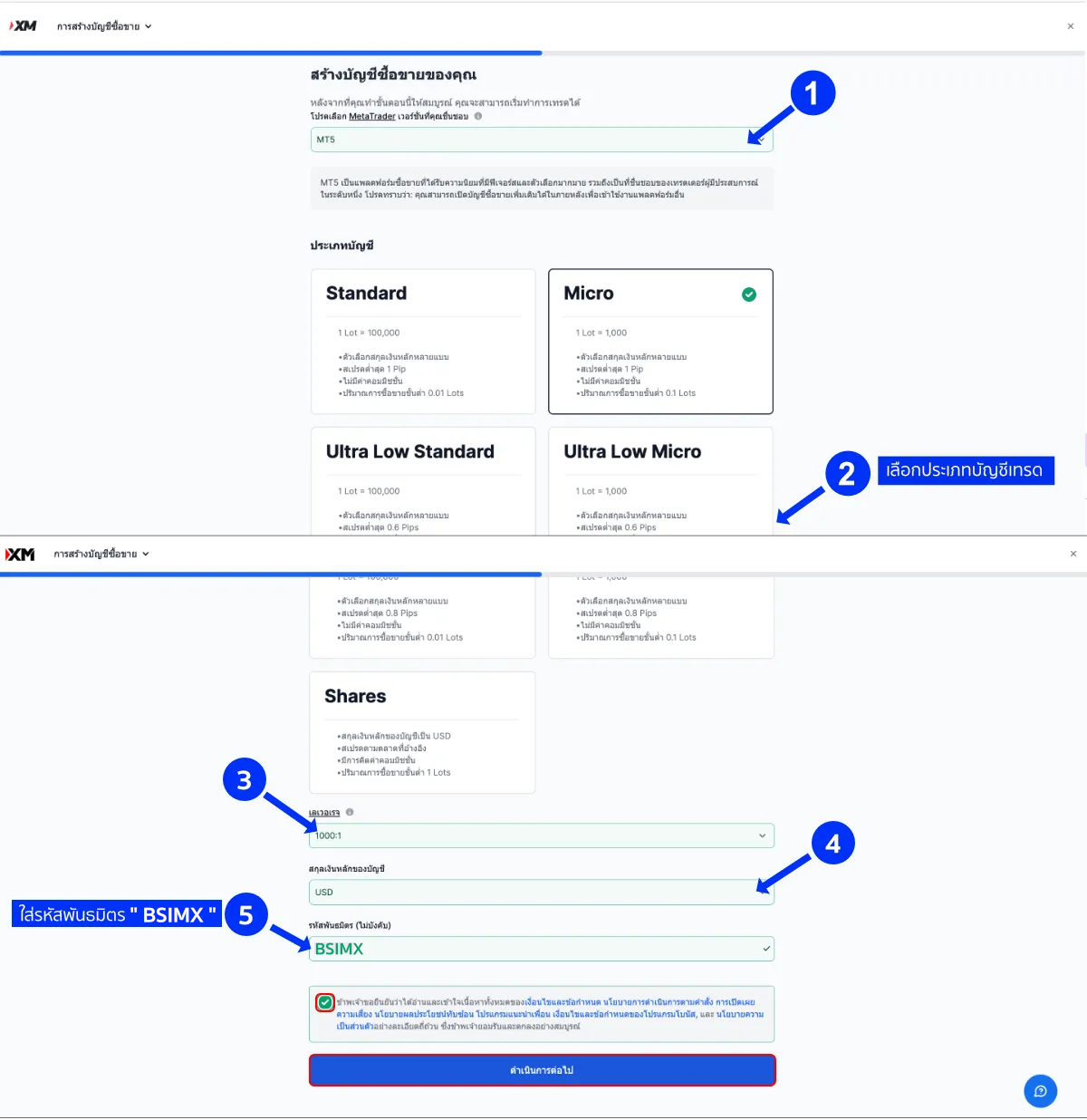
5. Set up a new account.

– On the account creation page, select the following information:

  • Trading platforms such as MT4 or MT5. 
  • Standard account type
  • Leverage required 
  • The primary currency of the account is USD.
  • Choose to receive a bonus if you wish. 

– Enter the affiliate code “BSIMX”" in the box "“Enter here.”"” 

– Check the box and click “Continue.”"”

เปิดAdditional-XM-Accounts5edit

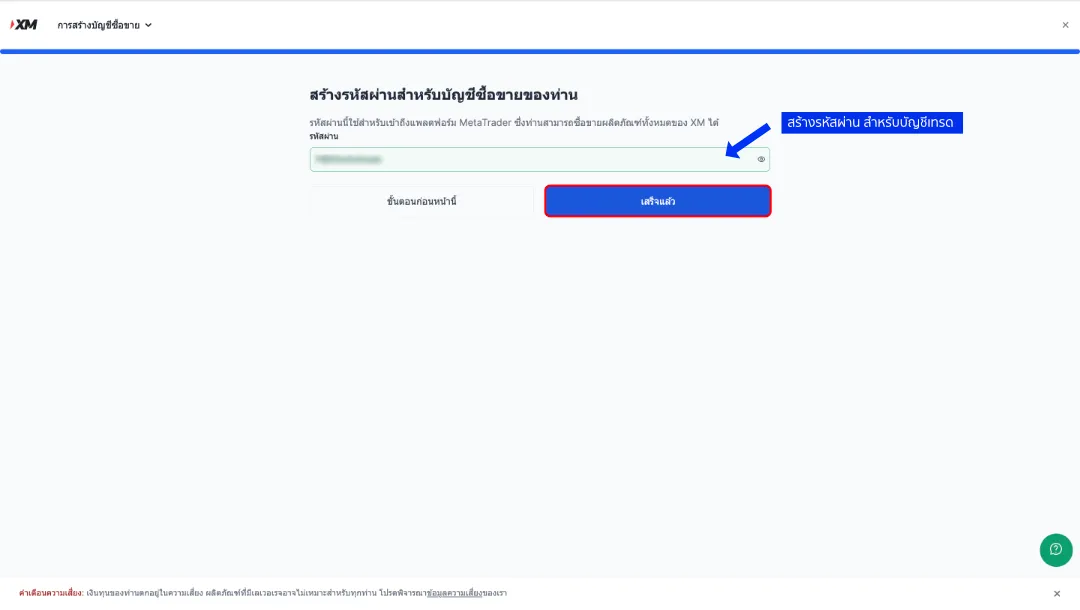
6. Set a password for your trading account.

– Create a password for the new account and click “finished

Additional XM Accounts6_14_11zon

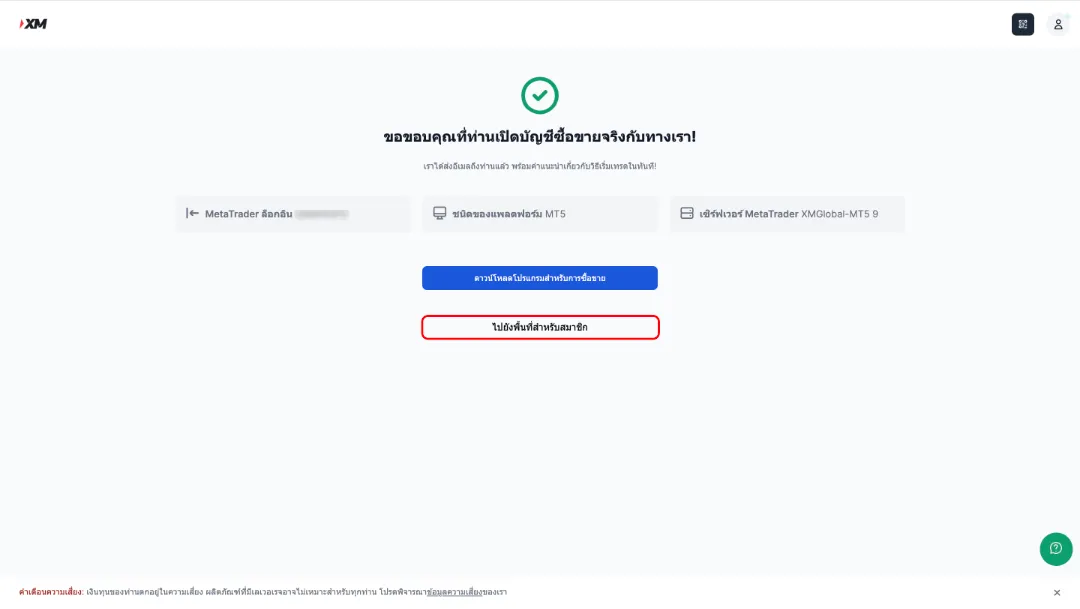
7. Receive new account information.

– The system will display the details of the new account, such as: 

  • Trading account number 
  • Platform 
  • Server 

– With this, you can start using your new trading account immediately.

Additional XM Accounts7_15_11zon

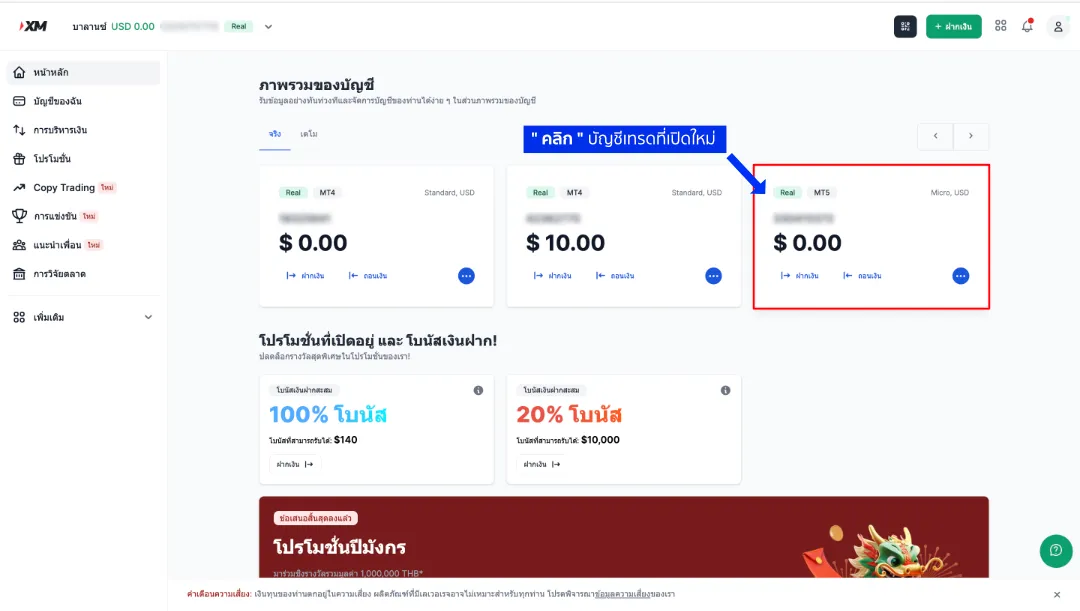
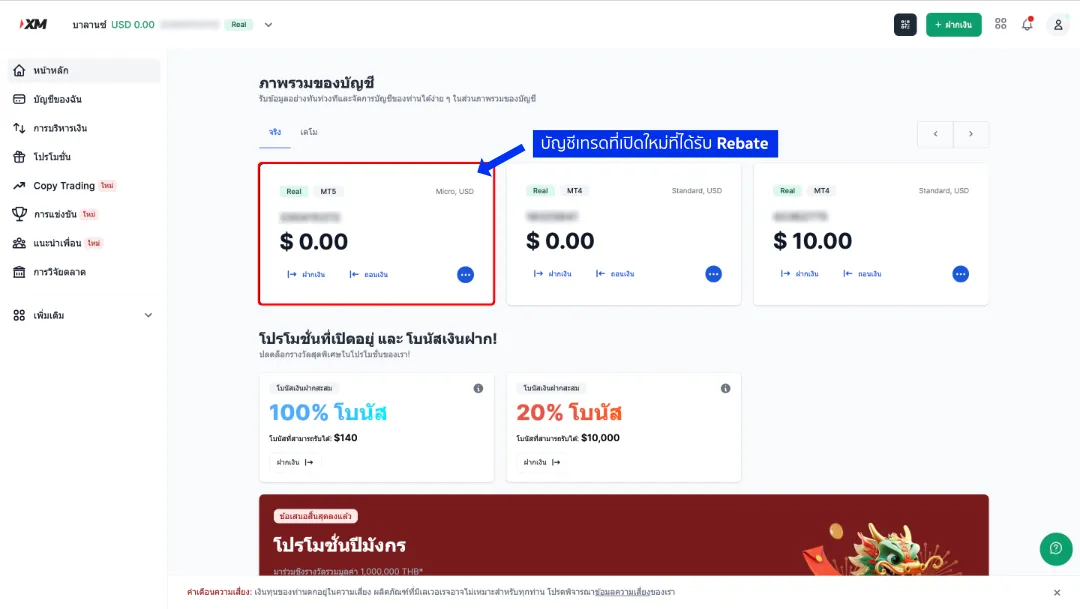
8. Check your account in the Member Area.

– Go to the Member Area and click on the new account you just created.

Additional XM Accounts8_16_11zon

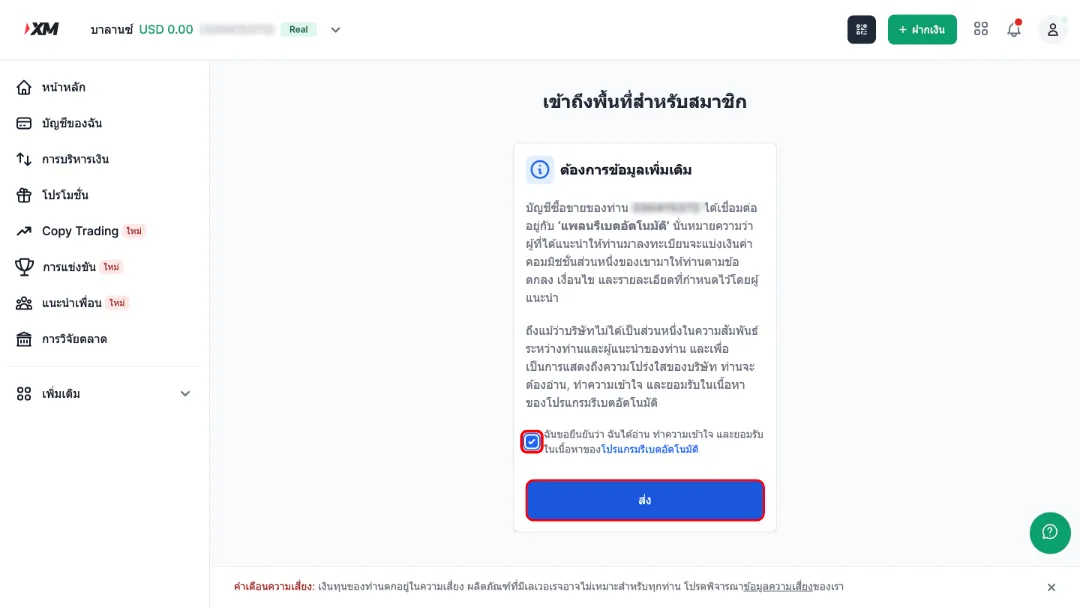
9. Confirm additional information.

– On the new account page, information about the automated rebate platform will be displayed.  

– Check the box and click “send”"”

Additional XM Accounts9_17_11zon

10. Start using your new account and receive daily rebates!

– Once all steps are completed, you can use your new account and receive daily rebates from XM.

Additional XM Accounts10_18_11zon

Epilogue

If you have successfully opened an additional XM account with BeSight following the steps above, you can immediately receive rebates on every trade. However, for added assurance, after opening the additional account, please verify your trading account to confirm your rebate eligibility and participate in various activities via the website. here

Without proper capital management, your investment portfolio can suffer significant losses. XM Broker It's a suitable option, with valuable bonuses and promotions that help increase the security of your investment.

whenOpen an XM account. with Besight You'll also receive exclusive benefits such as an automatic rebate program for every trade and a loyalty points program that allows you to redeem free rewards.

Picture of [ADMIN] Sunny
[ADMIN] Sunny

Article written and edited by