

Common problems many traders encounter when trading include inaccurate zone identification, difficulty spotting entry and exit points, and a lack of systematic risk management. All of these can unknowingly lead to significant portfolio losses.
The BeSight ONE indicator on TradingView is designed specifically to help solve these problems. Let's take a look at what features this tool offers and how it can make trading easier.
What is BeSight ONE?
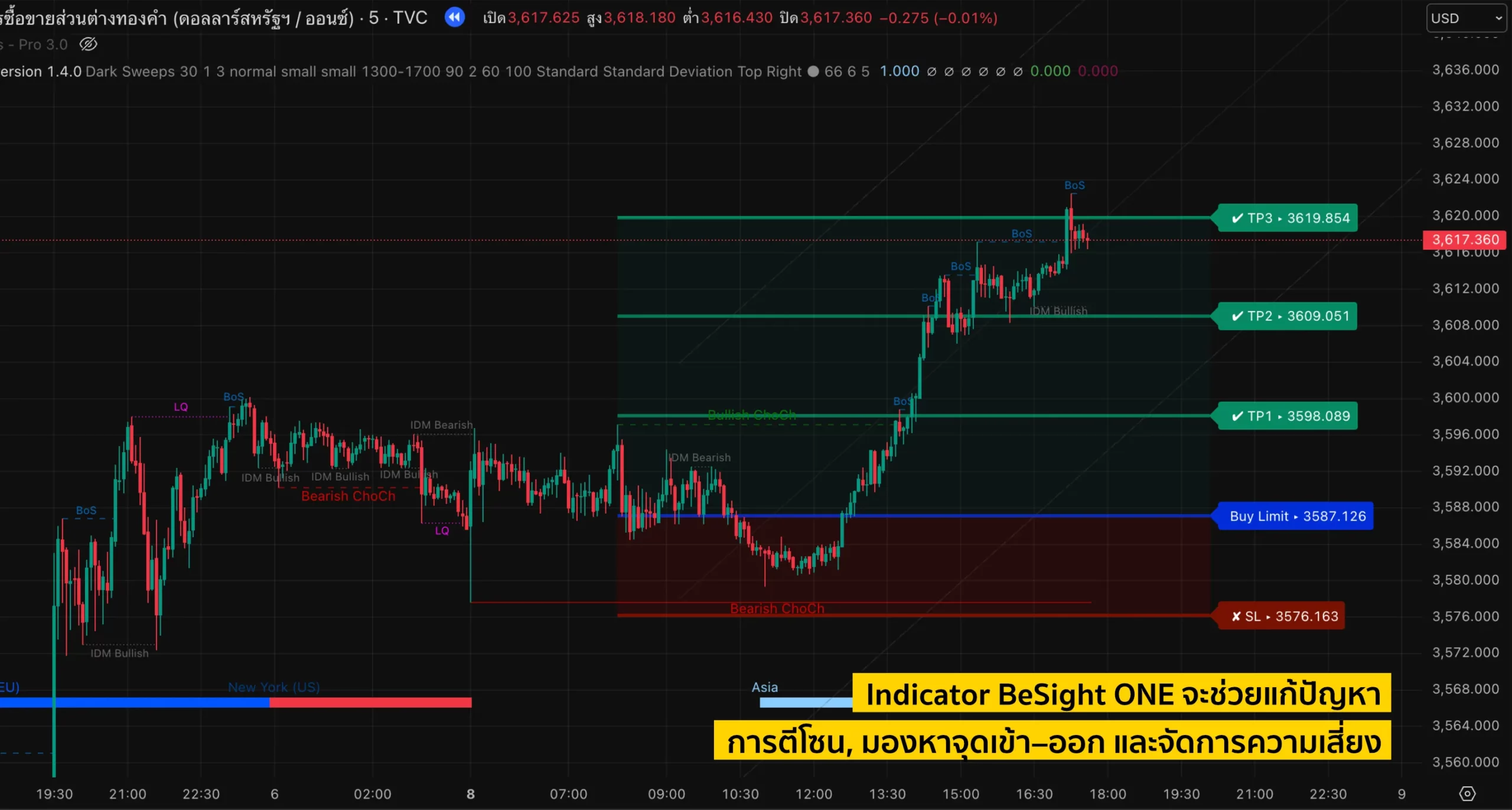
BeSight ONE is an indicator developed by BeSight specifically to assist gold (XAUUSD) traders. This indicator shows key market zones and identifies accurate entry points. The updated version also supports trading in gold, BTC, and silver pairs.
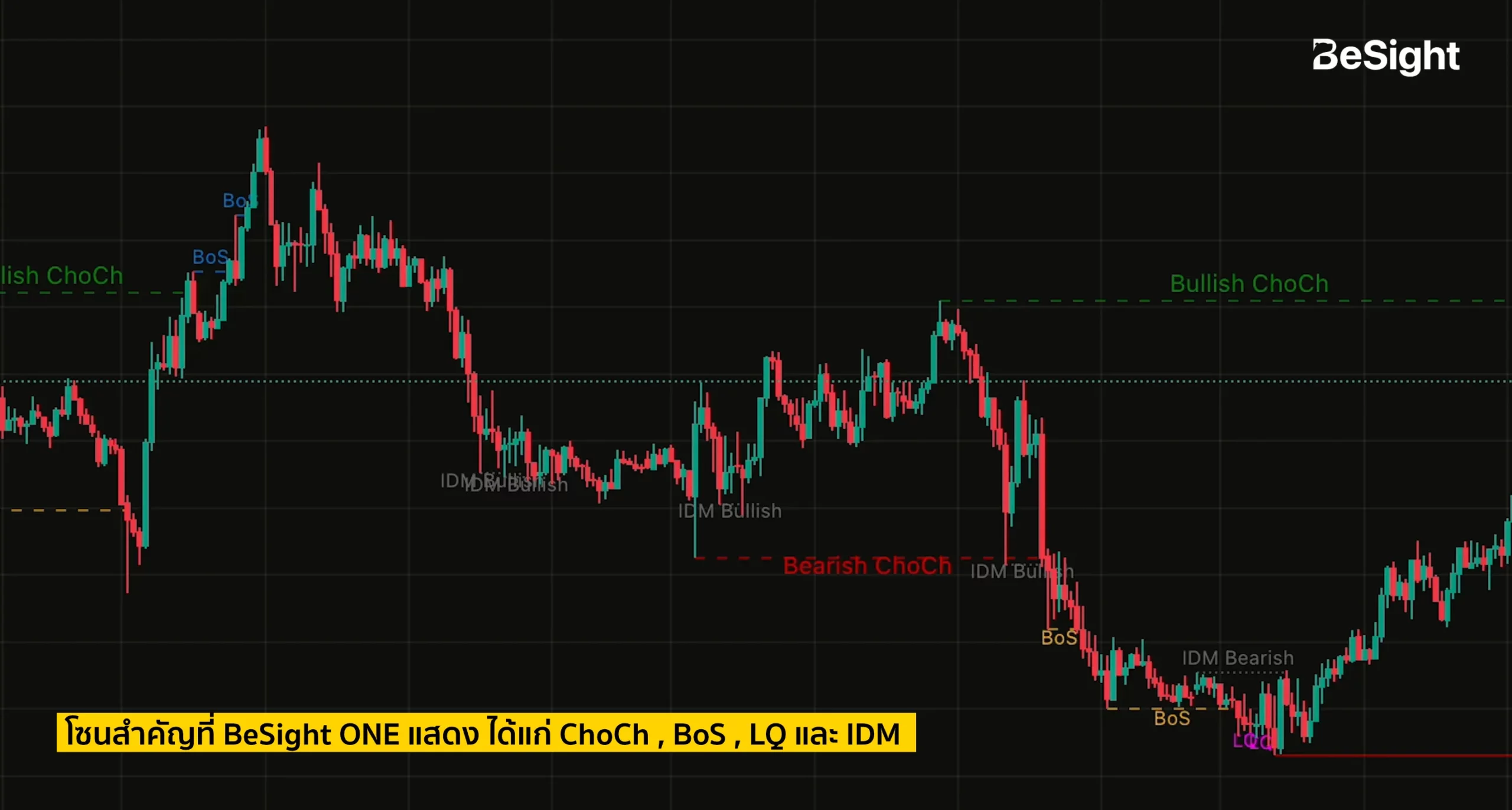
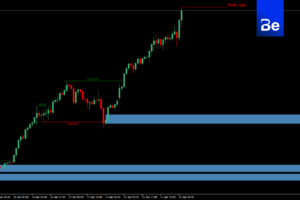
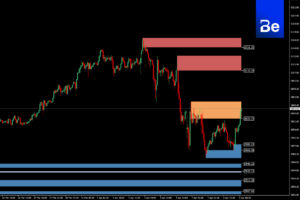
The key zones displayed by the BeSight ONE indicator include:
– ChoCh (Change of Character) A change in the character of a structure.
- Bullish ChoCh: A shift in the price structure to an upward trend.
- Bearish ChoCh: A change in the price structure to a downtrend.
– BoS (Break of Structure) – Breakout of the price structure.
– LQ (Liquidity) – Liquidity (Zone with accumulated buy and sell orders)
– IDM (Internal Demand & Supply): The point where traders are lured into entering a trade.
- IDM Bullish: A price level showing hidden buying pressure.
- IDM Bearish: A price level with hidden selling pressure.
These zones can be predicted in advance before the price reaches them, allowing traders to see interesting points before the chart actually moves.
Key features of the BeSight ONE Indicator.
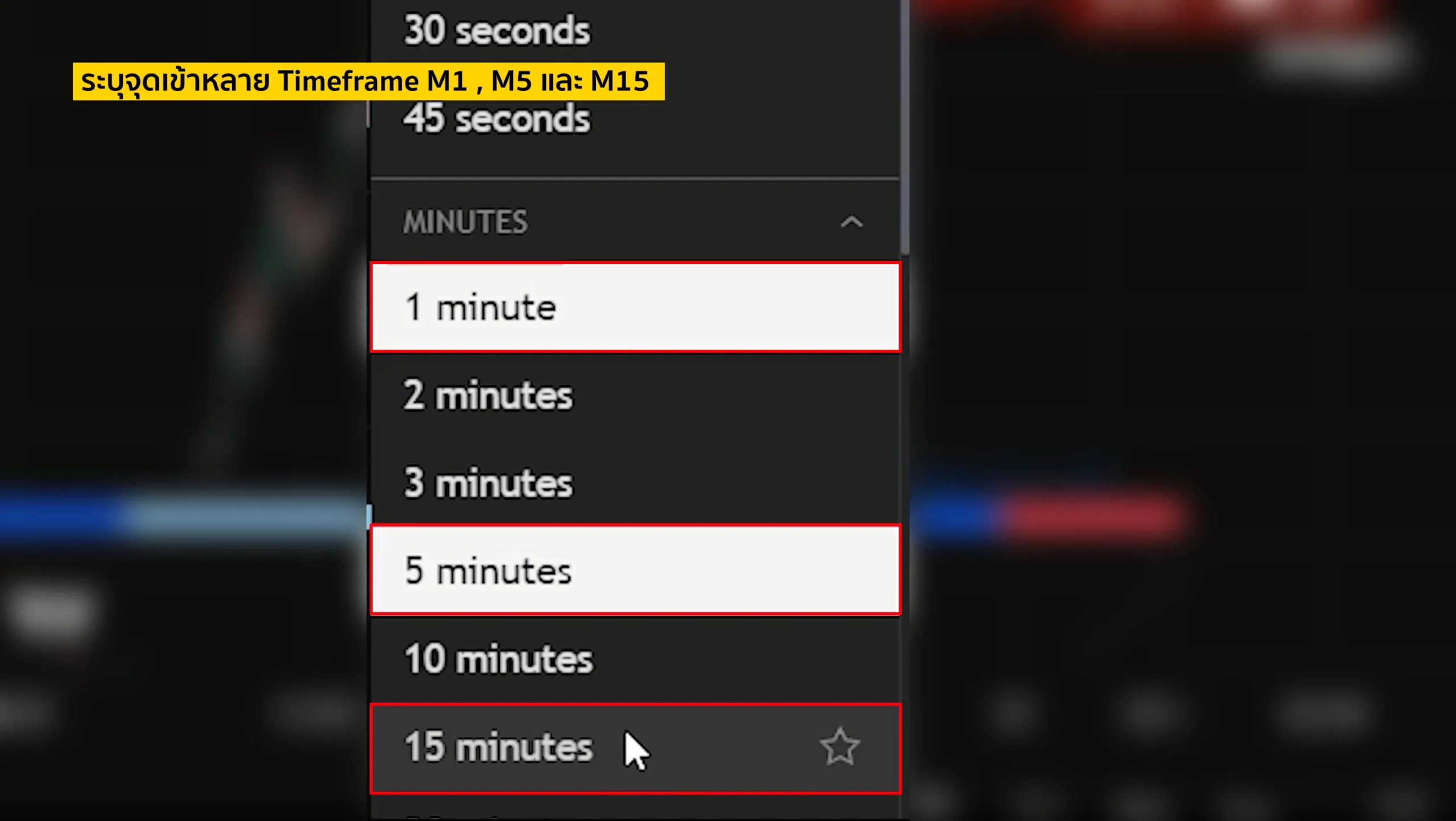
Supports multiple timeframes.
The BeSight ONE indicator can display different zones across all timeframes, but it will only show trading entry zones in the following three timeframes:
- M1 (1 minute) for fast traders who want to take quick profits.
- M5 (5 minutes) is for short-term trend traders.
- M15 (15 minutes) for long-term profit traders.
Additional special options make the BeSight ONE indicator more appealing.
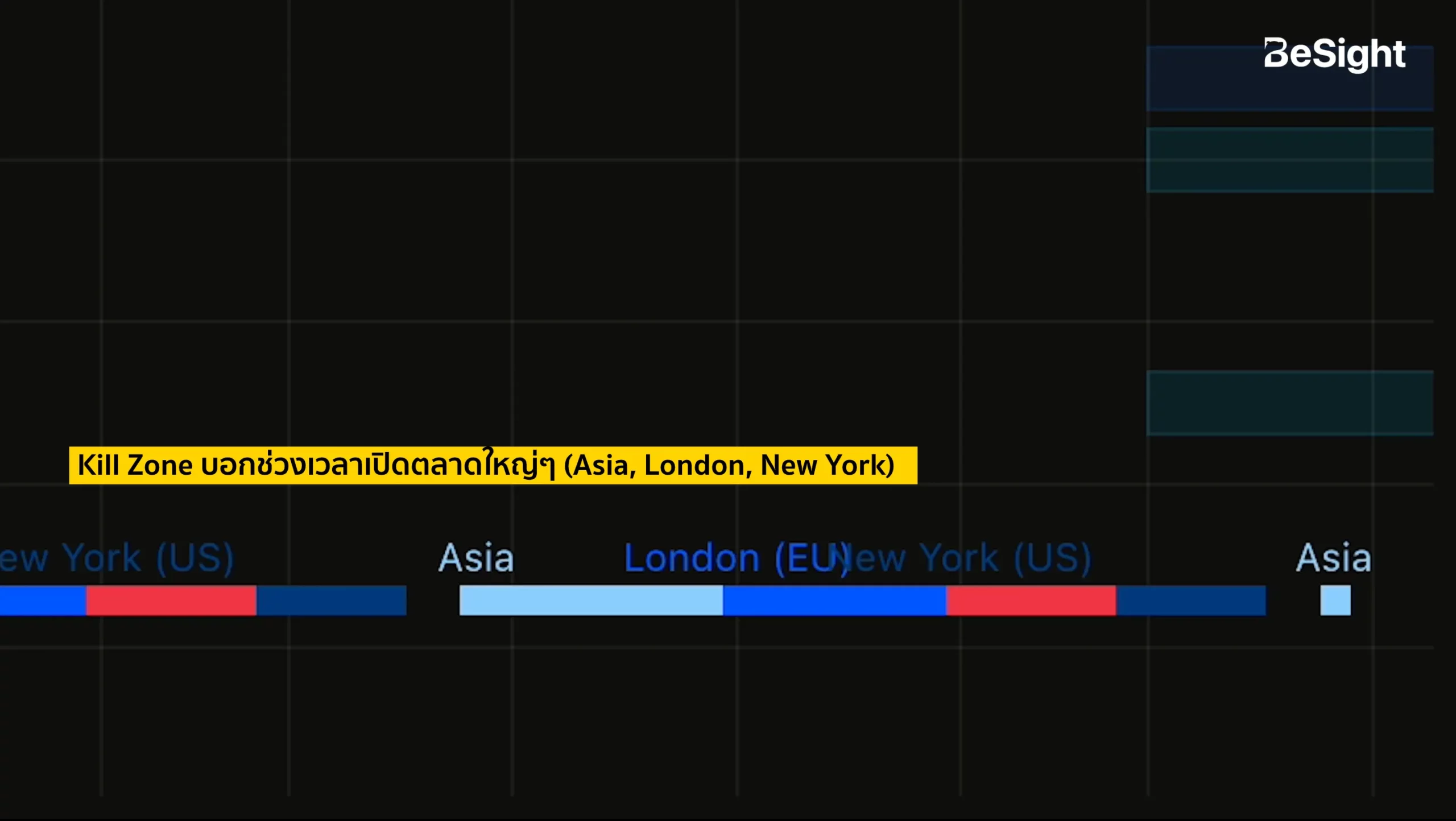
Kill Zone
Show the opening times of major markets (Asia, London, New York) on the graph.
High volume period, dark blue.
During a period of intense news coverage, the color red was prominent.
During normal price movement, the color is blue.
During market downturns, the color is light blue.
It helps you know when to enter a trade and when to avoid it.
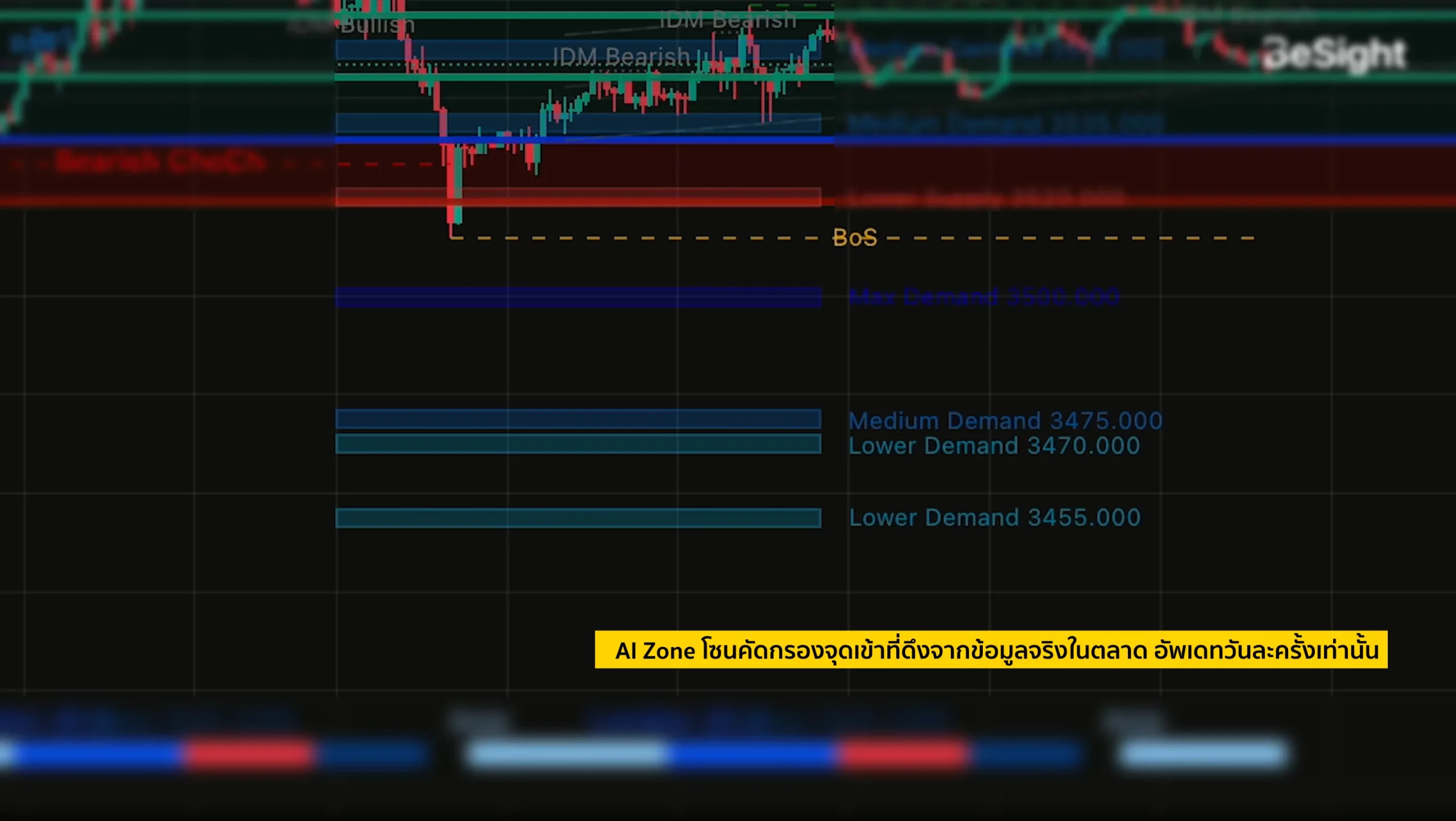
AI Zone
This zone pulls real data from major market investors, used to filter entry points and can also be used to support further trading decisions. If it aligns with BeSight ONE signals, it will further increase confidence. The AI Zone updates only once a day (the time varies each day depending on market data).
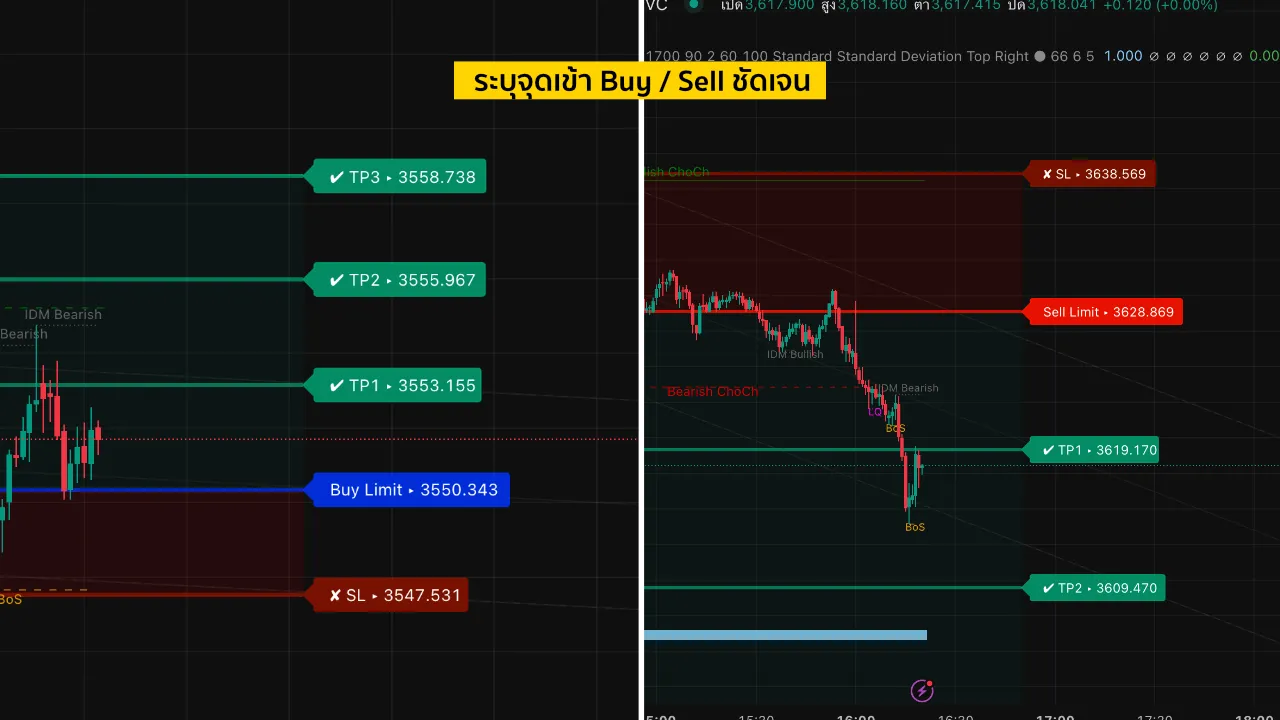
Clear entry and exit points and a trading system.
- Zones are marked, indicating order entry and exit points in advance.
- Set up TP/SL automatically.
- Calculate the risk (R:R ratio is 1:1 – 1:3).
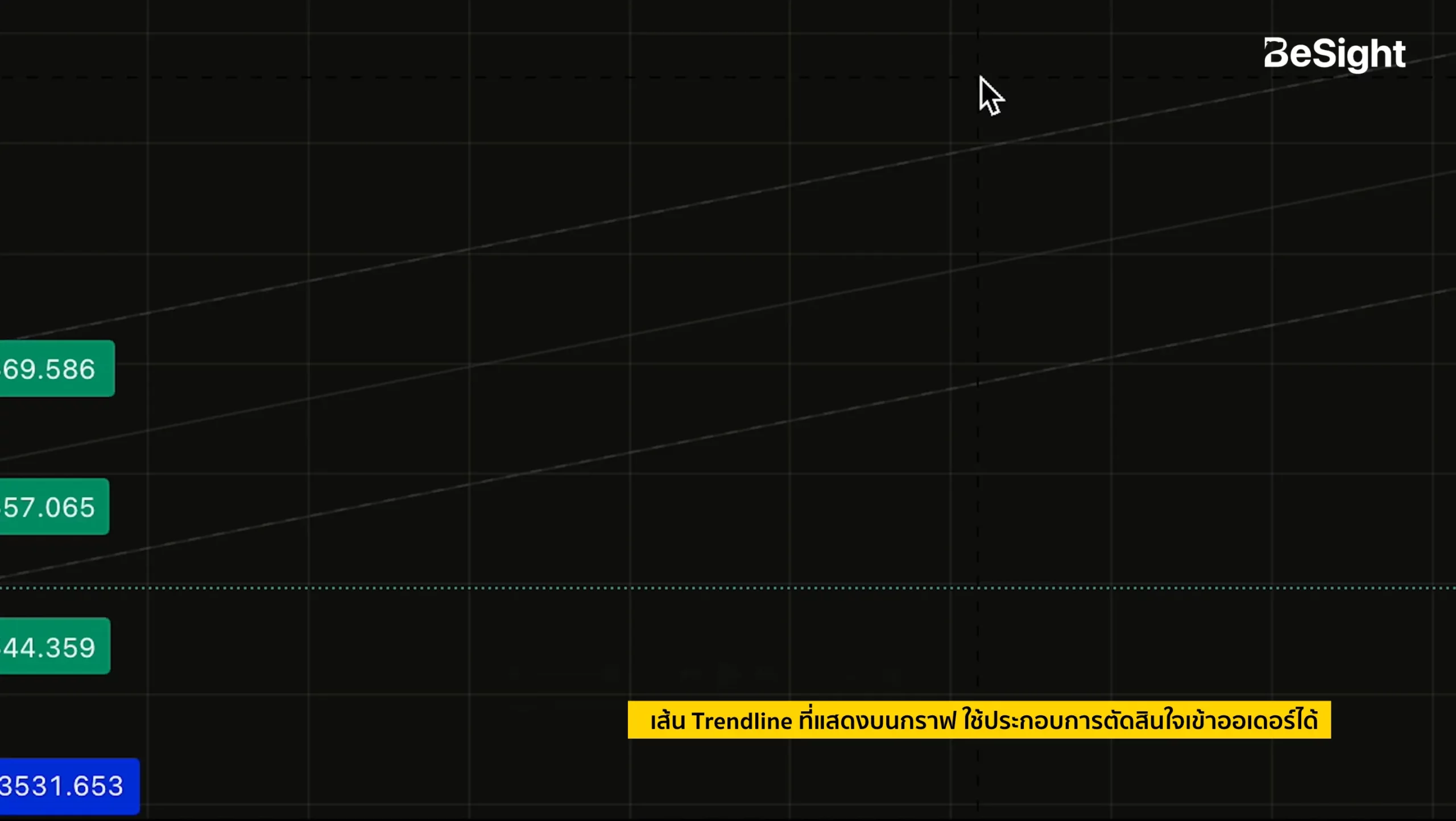
Trend Line
It helps confirm trends and increases confidence in making order placement decisions.
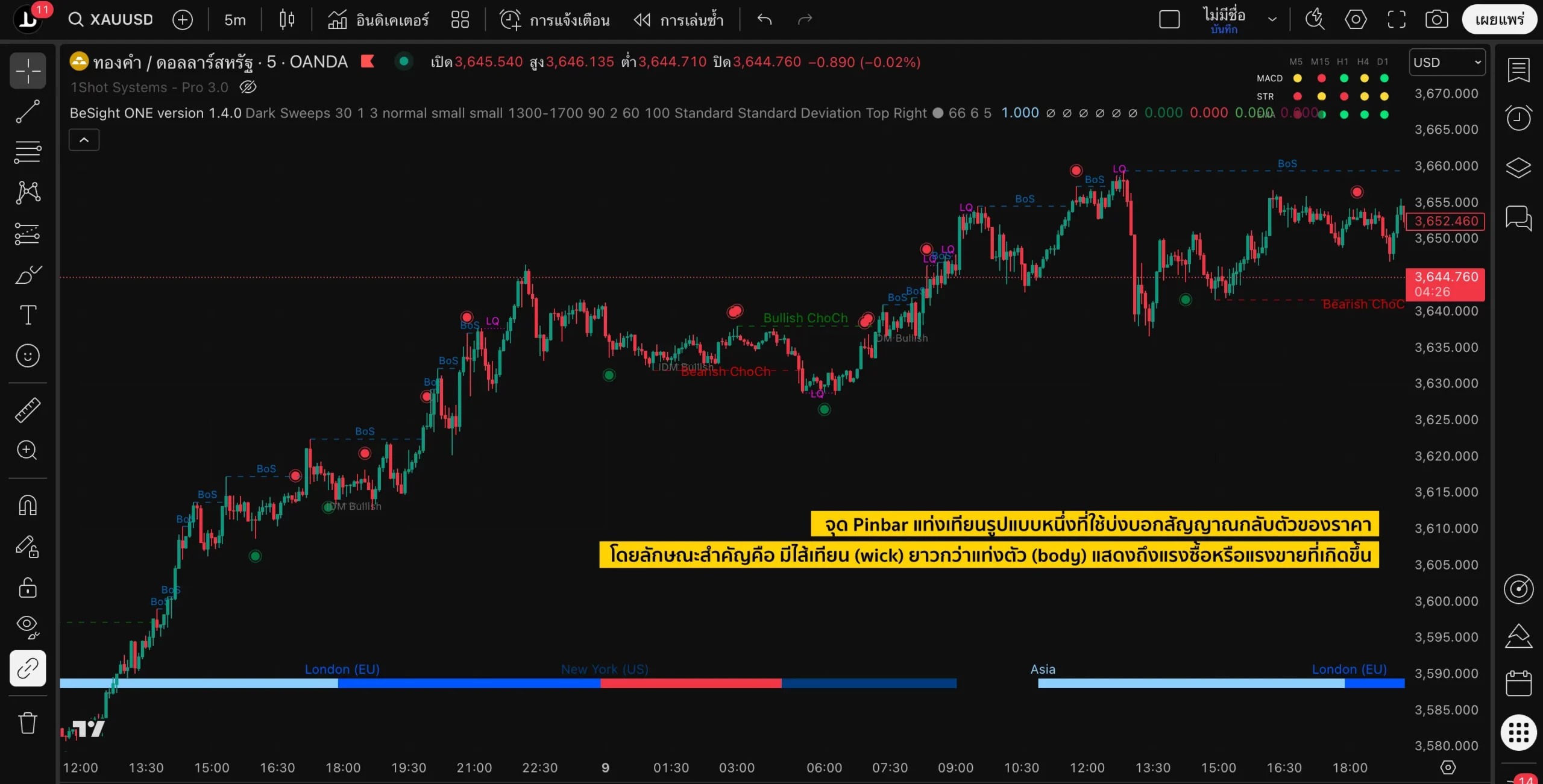
Price Action Points
This is a point where the candlestick chart shows a price reversal signal.
green dot → If there is selling pressure on the price, but buying pressure pushes it back up and creates a wick, a signal will appear. → This indicates a positive signal.The opportunity is bullish (Buy).
Red dot → If there is buying pressure but then selling pressure pushes the price down, creating a wick, a signal will appear → indicating a positive signal.The trend is downward (Sell).
When Price Action points occur in key zones, entry signals can be considered more accurate.
Usage techniques
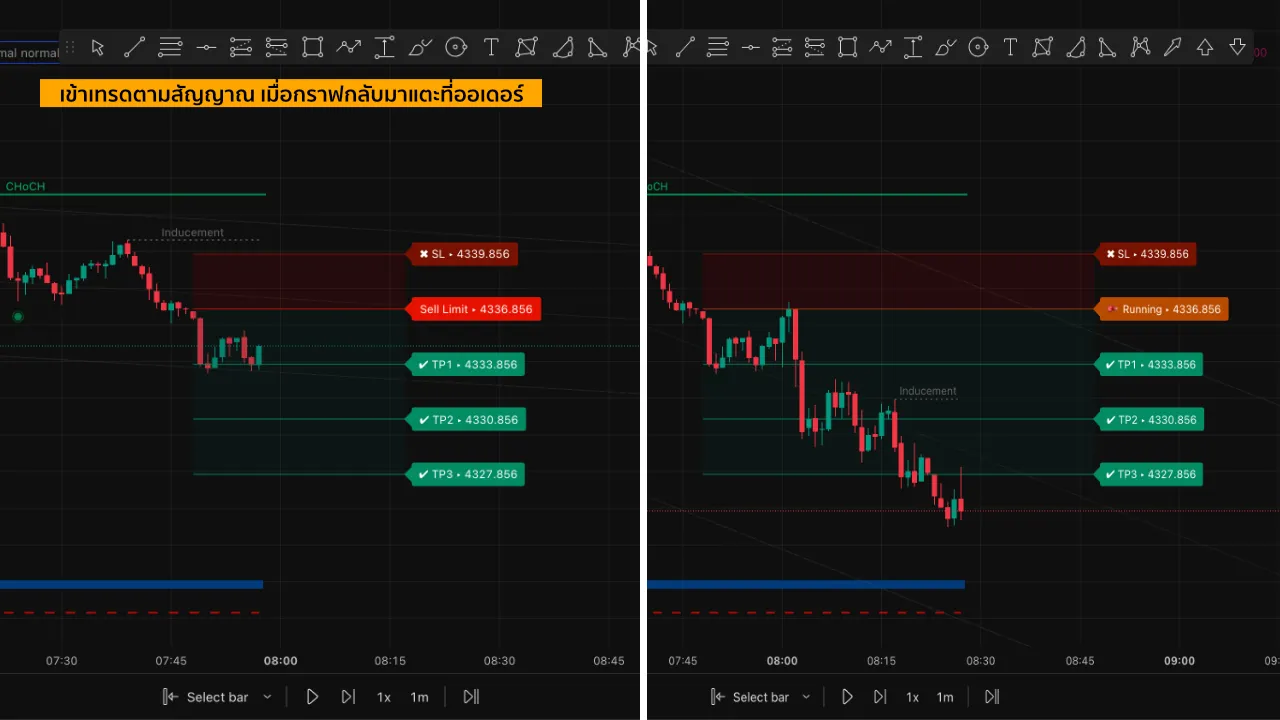
- Observe the Buy Limit / Sell Limit signals.
- Wait for the chart to touch the signal before entering a trade.
- Don't forget to set TP and SL every time.
- If the graph doesn't touch the signal, wait for the next signal.
Setting up alerts (for TradingView monthly/annual subscribers only)
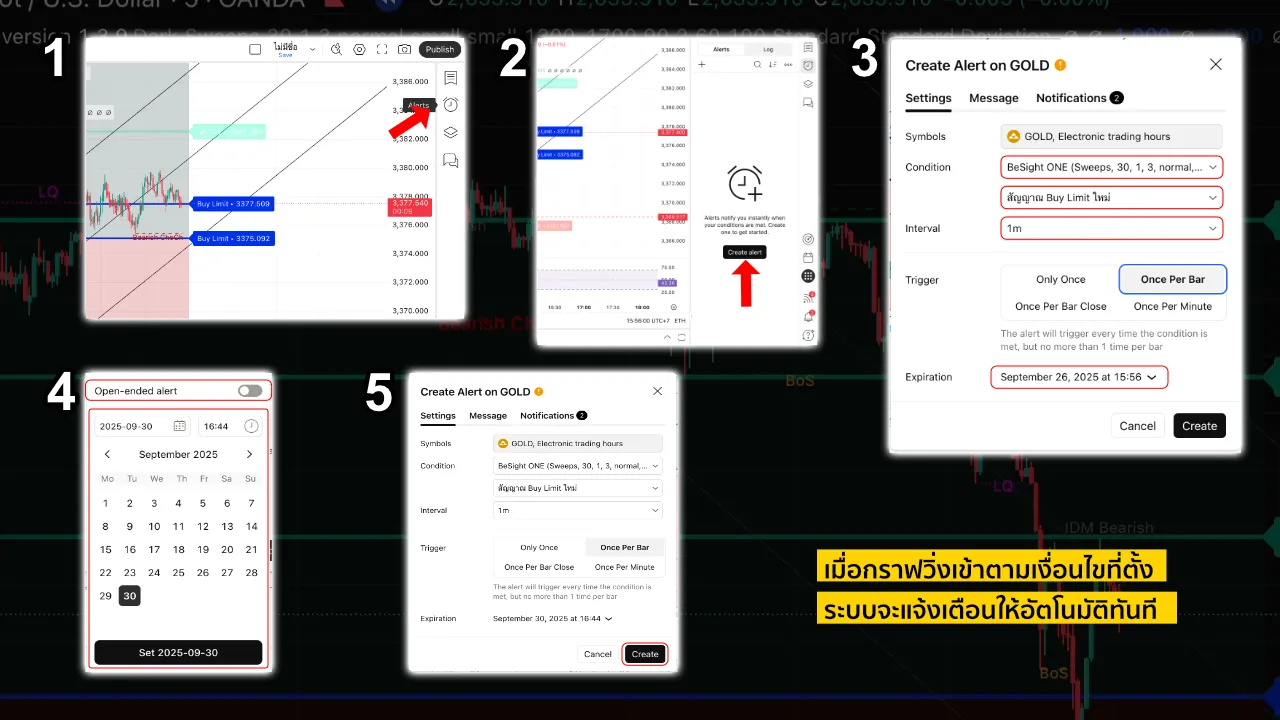
- Click the clock icon > “Create an alert”.”
- Set up the conditions > “BeSight ONE”
- Select “New Buy Limit / New Sell Limit”.”
- Set the time period according to your desired timeframe.
- Select the trigger setting as 'once per stick'.‘
- Set expiration date > “Open-ended (Premium) or choose your own date (Essential)”
- Click "Create".“
The system will automatically send a notification when the graph moves according to the conditions we have set.
How to get the BeSight ONE Indicator.
- Open an XM trading account with BeSight via this link: https://bit.ly/bsimx_besight
- Please provide your trading account number and TradingView username through BeSight's various channels or Line Official: @besight.
- Please wait for the administrator to add the tool.
- Then go to Indicator > Invite-only > BeSight ONE.
That's all it takes to use it immediately. If, after using the BeSight ONE Indicator, members have further questions or need additional training, they can contact the admin team right away.
Epilogue
Although BeSight ONE can clearly indicate entry and exit points, the best trading still relies on risk management and emotional control. This tool only simplifies trading; portfolio analysis and management remain our responsibility.
*Warning: Investing in the Forex (FX) market, gold, and others carries risks. Please study the information carefully and understand it before making an investment decision.* At BeSight, we focus on providing unbiased and transparent information about investing to help investors understand the risks and the importance of being prepared for their investments.
![Picture of [ADMIN] Sunny](https://besight.net/wp-content/uploads/nsl_avatars/f9b7fe0ff756bf7bf6fc6f66a4adfe53.png)