

BeSight Demand Supply Zones It is a charting analysis tool that helps traders accurately see "areas that market makers are focusing on" through identification. Demand zone and Supply zone Automatically on the MT4 program.
Download and install BeSight Demand & Supply Zone.
- Download BeSight Demand & Supply Zone.ex4 to your computer. Right-click on the file and select Copy. Copy the file into your MT4 program. You must be logged in to a trading account opened through BeSight or ForexRefund.
- Then go to File > Open Data Folder > MQL4 > Indicators.
- Then right-click and select Paste to place the BeSight Demand & Supply Zone.ex4 file, and close the window.
- Open the MT4 program, right-click on the Navigator field and press Refresh. The BeSight Demand & Supply Zone file will then appear.
- Double-click on BeSight Demand & Supply Zone, then check the "Allow" box and click OK to activate it.
Using the BeSight Demand & Supply Zone Indicator.
Display automatic zones in real time.
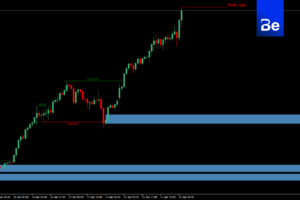
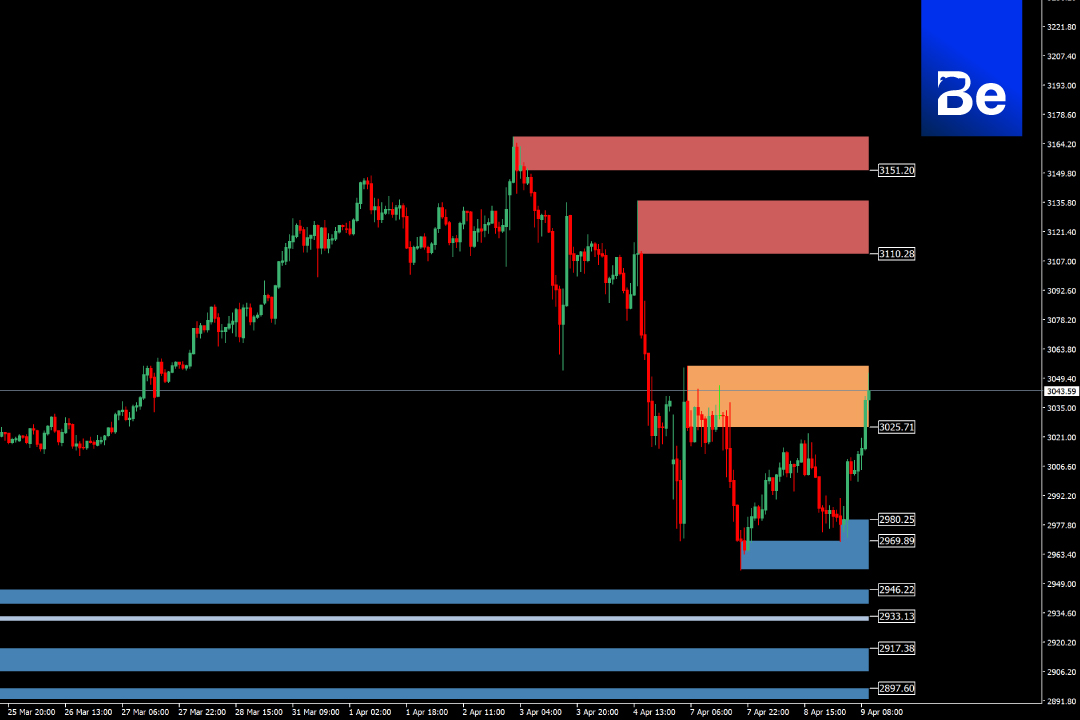
The indicator detects key reversal points and draws "colored boxes" on the chart to identify zones where future buying/selling pressure is likely to occur.
Use colors to help you make decisions.
🔴 Red zone Supply Zone (Selling Pressure)
🟠 Orange Zone = Latest/Nearest Supply Zone
🔵 Blue zone Demand Zone (Buying Pressure)
Suitable for all timeframes.
Supports both M1 and D1 timeframes for scalping, day trading, or swing trading analysis.
Help me find entry points and TP/SL (Take Profit/Stop Loss). Easily plan entry and exit points by using these zones as reference points for Entry, Stop Loss, and Take Profit.
Software details
Developer: BeSight
Distribution: BeSight
File size: 96KB
software: Metatradert 4
Operating system: Windows, Mac OS
safety: Tested.
![Picture of [ADMIN] `SENSEI~](https://besight.net/wp-content/uploads/nsl_avatars/5207db5a26b7923a9ca36d3712820771-150x150.jpg)